
Build · Restaurant Technology

Custom Restaurant QR Ordering System Development

Turn every restaurant table into a digital ordering experience.

Build a modern restaurant ordering platform where customers can scan a QR code, browse the menu, customize items, place an order and pay directly from their phone.

From single-location cafés to multi-restaurant businesses, Weefou designs and develops custom restaurant ordering systems built around your brand, operations and customer experience.

  • QR Ordering
  • Digital Menu
  • Online Payments
  • Live Orders
  • Restaurant Dashboard
  • Multi-Location Management
One connected system

Build more than a digital QR menu.

A QR menu should do more than replace a printed menu. Weefou can build a connected restaurant ordering ecosystem that takes customers from QR scan to order confirmation while giving restaurant teams complete control from their own dashboard.

Customers can

  • Scan a table or drive-in QR code
  • Browse a mobile-friendly digital menu
  • View food images, descriptions and prices
  • Select variants and add-ons
  • Add special instructions
  • Place orders from their table
  • Pay online
  • Track their order status

Restaurant teams can

  • Receive new orders instantly
  • Manage menu pricing
  • Mark products available or sold out
  • Manage tables
  • Update order status
  • Manage restaurant staff
  • Monitor sales
  • View restaurant analytics
Scan. Order. Pay. Enjoy.

A faster ordering journey for your customers.

  1. 01

    Scan

    Customers scan the QR code placed on their restaurant table, counter or drive-in ordering point. The system automatically identifies the restaurant and ordering location.

  2. 02

    Browse

    Customers open an interactive digital menu directly in their mobile browser. No complicated ordering process. No traditional printed menu required.

  3. 03

    Customize & Order

    Customers select products, variants, add-ons, quantities and special instructions before adding items to their cart.

  4. 04

    Pay

    Customers review the order and complete checkout using the supported payment options.

  5. 05

    Restaurant Receives the Order

    The order appears instantly in the restaurant dashboard with the associated table or vehicle information.

  6. 06

    Track & Serve

    Restaurant staff move the order through each stage, and customers can follow the progress directly from their phone.

PlacedConfirmedPreparingReadyCompleted
Try it

Order from Table T08 — right here.

Pick a size and add-ons, pay, and watch the order appear on the restaurant dashboard.

Sample Restaurant Table T08
Pizza Wood-fired · customise below
Size
Add-ons
1
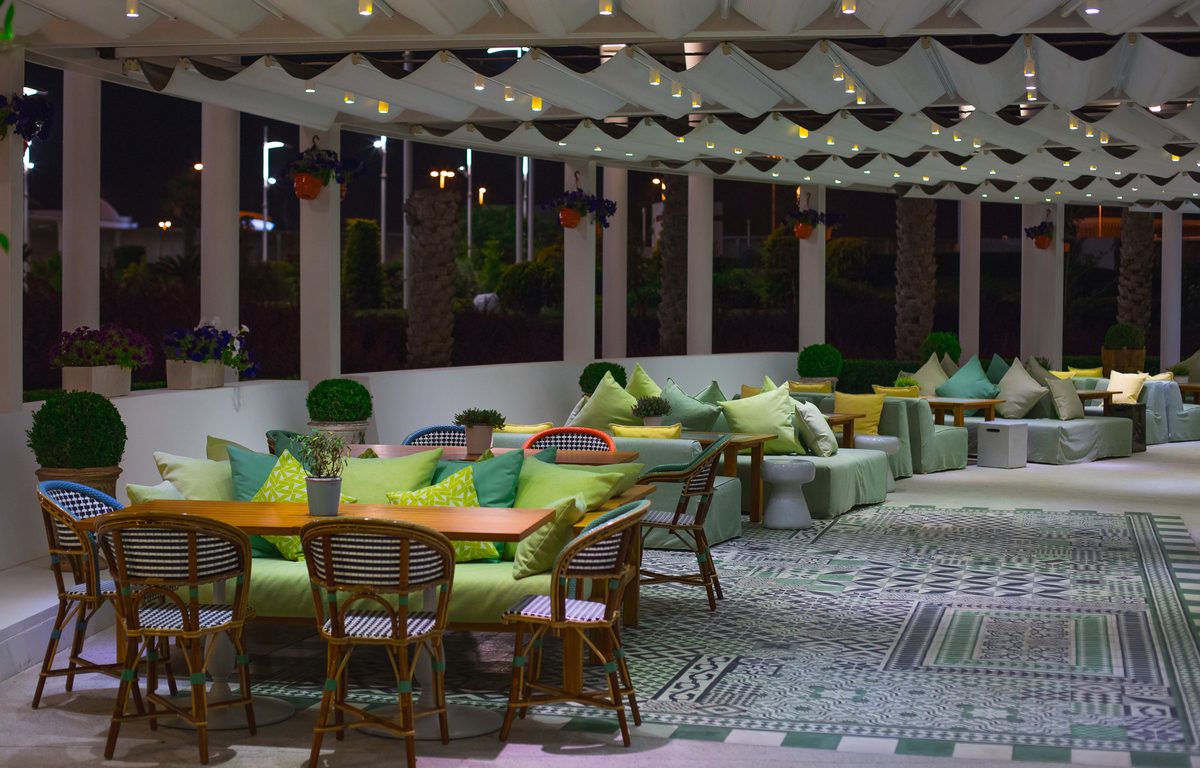
Restaurant dining area set for guests
The platform

Everything your restaurant needs in one connected platform.

QR Table Ordering

Generate unique QR codes for individual restaurant tables. When customers scan a table QR, the system can automatically identify the restaurant and table so customers don't have to enter their table number manually.

Example
Table T08Scan QROpen MenuPlace OrderOrder received for T08

Interactive Digital Menu

Replace static PDF menus with a modern mobile ordering experience. Restaurant teams can update pricing and availability without repeatedly printing new menus.

Display
  • Categories
  • Food images
  • Product descriptions
  • Prices
  • Variants
  • Add-ons
  • Discounts
  • Availability
  • Popular items

Product Variants & Add-ons

Give customers the flexibility they expect. Customers can also add special instructions, and the final order total updates automatically based on the selected options.

Pizza size
SmallMediumLarge
Add-ons
+ Extra Cheese+ Mushrooms+ Jalapeños

“No onions, please.”

Dine-in

Turn every table into an ordering point.

During busy restaurant hours, customers shouldn't have to repeatedly wait for staff simply to browse a menu or place another order.

With table-based QR ordering, customers can access the restaurant menu from their phone and submit orders directly from their table. Your staff receives the order with the correct table information, helping create a more streamlined ordering workflow.

Less waiting. Fewer manual steps. Better ordering experiences.

Drive-in restaurant ordering

Turn your parking area into a digital ordering point.

Running a drive-in restaurant or serving customers in parked vehicles? Weefou can build drive-in ordering into the same restaurant platform.

Customers scan a drive-in QR code, then browse the menu, customize their food and place their order from inside their vehicle. Restaurant staff receive the order together with the vehicle and parking information, making it easier to deliver the order to the correct customer.

Customer provides
Vehicle number
PB65AB1234
Parking slot
A07

Staff receive the order together with the vehicle and parking information.

Real-time order management

Give your team one place to manage every order.

Restaurant teams need more than customer-facing ordering screens. The restaurant dashboard can provide a live operational view of incoming orders. Staff can quickly move orders through each preparation stage while managers keep visibility across daily operations.

  • New orders
  • Pending orders
  • Confirmed orders
  • Preparing orders
  • Ready orders
  • Completed orders
  • Table information
  • Drive-in vehicle information
  • Order value
  • Order time
Restaurant menu management

Control prices and availability without rebuilding your menu.

Restaurant administrators can manage their own menu through a dedicated dashboard. Changes can be reflected directly in the customer-facing digital menu.

  • Restaurant-specific prices
  • Product availability
  • Sold-out items
  • Discounts
  • Variant pricing
  • Add-on pricing
  • Business hours
Built for multi-location restaurant businesses

Manage multiple restaurants from one platform.

For restaurant chains, franchises, food courts or SaaS businesses serving multiple restaurants, Weefou can develop centralized multi-restaurant management. Individual restaurants can then manage their own permitted settings.

A Super Admin can manage

  • Restaurants
  • Master menus
  • Menu categories
  • Products
  • Product images
  • Variants
  • Add-ons
  • Default pricing
  • Restaurant access
  • Platform orders
  • Users
  • Reports

Centralized master menu + restaurant-specific pricing

Create products once and distribute them across multiple restaurant locations. Each restaurant can maintain its own pricing without changing the master product or another restaurant's pricing.

Master product: Classic Burger
Default price₹199
Restaurant A₹189
Restaurant B₹209
Restaurant C₹199

Particularly useful for:

  • Restaurant chains
  • Franchise networks
  • Food courts
  • Hospitality groups
  • Multi-brand restaurant operators
Restaurant dashboard & analytics

Understand what's happening across your restaurant.

Give restaurant owners useful operational insights instead of disconnected reports. Your dashboard can include:

  • Today's orders
  • Today's sales
  • Pending orders
  • Completed orders
  • Revenue
  • Average order value
  • Popular products
  • Revenue by day
  • Revenue by category
  • Dine-in orders
  • Drive-in orders
  • Location-level performance

For multi-restaurant systems, platform administrators can also monitor performance across restaurants from a centralized dashboard.

Role-based restaurant management

Different users shouldn't have access to everything.

The platform can support dedicated roles including:

Super Admin

Manage restaurants, master menus, users, platform settings and overall operations.

Restaurant Admin

Manage a specific restaurant's menu, pricing, availability, tables, employees and orders.

Restaurant Staff

Receive and process restaurant orders based on assigned permissions.

Customer

Scan, browse, customize, order, pay and track their order through a mobile-friendly experience.

Modules

Features we can build into your restaurant platform.

QR Table Ordering

Let customers order directly from restaurant tables.

Digital Restaurant Menu

Create an interactive mobile menu with images, categories and live pricing.

Drive-In Ordering

Allow customers to order directly from their vehicles.

Online Payments

Integrate supported payment gateways into checkout.

Product Variants

Support different sizes and product configurations.

Food Add-ons

Allow customers to customize orders.

Restaurant-Specific Pricing

Different locations can maintain different prices.

Real-Time Orders

Push customer orders directly to restaurant operations.

Table Management

Create and manage restaurant tables and their QR codes.

Staff Management

Provide different permissions for restaurant employees.

Order Tracking

Let customers follow their order status.

Restaurant Analytics

Monitor sales, orders and product performance.

Multi-Restaurant Management

Control multiple restaurant locations from one system.

Master Menu Management

Maintain centralized menus while allowing restaurant-level customization.

Who is this solution for?

Customizable for every kind of food business.

We can customize the restaurant ordering platform for:

  • Restaurants
  • Cafés
  • Quick-service restaurants
  • Restaurant chains
  • Franchises
  • Food courts
  • Drive-in restaurants
  • Hospitality businesses
  • Multi-location restaurant brands
  • FoodTech startups
  • Entrepreneurs building restaurant SaaS products

Whether you're modernizing your own restaurant or building a restaurant technology product for other businesses, the architecture can be adapted around your workflow.

Need your own restaurant SaaS platform?

Build a platform you can offer to multiple restaurants.

This solution can also form the foundation for entrepreneurs and businesses planning their own restaurant technology platform. Instead of building only one restaurant website, create a system where multiple restaurants can operate through the same platform.

  • Restaurant onboarding
  • Restaurant subscriptions
  • Super Admin
  • Restaurant dashboards
  • Multiple restaurant locations
  • Master menus
  • Restaurant-specific pricing
  • Role-based permissions
  • QR generation
  • Payments
  • Order management
  • Analytics

Talk to Weefou about your business model and we can scope the platform around it.

Discuss Your SaaS Idea →
Designed around the customer experience

No complicated ordering journey.

The core customer journey stays simple:

Scan QRBrowse MenuCustomize FoodAdd to CartCheckoutPayTrack Order

Everything should feel natural on a customer's phone. The goal isn't to make customers learn another piece of software.

The goal is to make ordering easier.

Why custom?

Why build a custom restaurant ordering platform?

Off-the-shelf restaurant software works for many businesses. But your operation may require workflows, branding, roles, integrations or business rules that a standard platform doesn't support. A custom solution gives you greater flexibility over:

  • Customer experience
  • Branding
  • Menu architecture
  • Restaurant workflows
  • User roles
  • Multi-location management
  • Integrations
  • Reporting
  • Future features
  • Platform business model

Weefou can design the system around the way your restaurant business actually operates.

From idea to working restaurant product

Weefou handles the complete product journey.

  1. 01

    Product Discovery

    We understand your restaurant model, users, locations and required workflows.

  2. 02

    UX & Interface Design

    We design mobile ordering screens and restaurant dashboards around real-world restaurant usage.

  3. 03

    Platform Development

    We develop the customer ordering experience, administration system and operational dashboards.

  4. 04

    Payment & Integrations

    Connect the supported payment gateway and external services required by your product.

  5. 05

    Testing

    Test ordering workflows across devices and user roles.

  6. 06

    Deployment

    Prepare and launch your restaurant platform.

  7. 07

    Continued Development

    Expand the platform as your restaurant operation or SaaS product grows.

Technology behind the platform

Built with modern technology.

Depending on your requirements, restaurant platforms can be built using modern technologies including:

  • React
  • TypeScript
  • Tailwind CSS
  • Firebase
  • Cloud Firestore
  • Cloud Functions
  • Cloud Storage
  • Razorpay
  • Recharts
  • Modern API integrations

Technology decisions are based on the requirements, integrations and scale of your individual project.

Your restaurant. Your brand. Your ordering experience.

Scan. Order. Pay. Enjoy.

Whether you operate one café, manage multiple restaurant locations or want to launch your own restaurant SaaS platform, Weefou can help turn the idea into a complete digital product — and give your restaurant team the tools to manage everything behind it.

Questions

Frequently asked questions.

What is a restaurant QR ordering system?

A restaurant QR ordering system lets customers scan a QR code using their phone, open a digital menu and place an order without following the traditional manual ordering process.

Do customers need to download an app?

The platform can be designed as a mobile-first web experience so customers can access the ordering interface directly from a QR code in their phone browser.

Can every restaurant table have a different QR code?

Yes. Individual QR codes can be associated with specific tables so the platform automatically knows where an order originated.

Can customers customize their food?

Yes. Products can support variants, add-ons, quantities and special preparation instructions.

Can restaurants change their own prices?

Yes. In a multi-restaurant architecture, individual restaurants can have restaurant-specific pricing while the platform maintains a centralized master menu.

Can the platform support multiple restaurant locations?

Yes. Multi-location and multi-restaurant management can be built through a central Super Admin platform.

Can you build drive-in ordering?

Yes. Customers can scan a drive-in QR, enter their vehicle information, order from their phone and have the restaurant associate the order with their vehicle or parking location.

Can customers pay online?

Yes. Supported online payment gateways can be integrated into the checkout experience based on project requirements.

Can Weefou customize this platform for our restaurant?

Yes. Weefou can scope the customer interface, restaurant dashboard, administration system, integrations and workflows around your restaurant or FoodTech business requirements.

Can we build our own restaurant SaaS business using this concept?

Yes. The architecture can be adapted for businesses that want to manage and onboard multiple restaurants under a centralized platform. Final features depend on your SaaS business model and project scope.

Ready to build your restaurant ordering platform?

Give customers a faster way to order and give your restaurant team greater control over day-to-day operations. Tell us what you're planning — one restaurant, a multi-location chain or your own restaurant SaaS product.